How to Convert Excel to JPG in Node.js
Automating the conversion of Excel files to JPG images streamlines the creation of business presentations. Large spreadsheets are cumbersome to embed directly in PowerPoint, so turning each worksheet into a JPG provides a clean, lightweight visual. In this article you will discover how to convert Excel to JPG in Node.js using the powerful XLSX JS library and build a robust Excel to JPG converter.
In this post we cover:
XLSX JS library installation
The XLSX JS library is easy to add to any Node.js project. Choose the method that fits your workflow:
- Download the API package – Grab the latest release from the official site and add it to your project manually.
- Install via npm – Run the commands below to pull the required modules directly into your
node_modulesfolder.
npm install java
npm install aspose.cells
After installation, verify the packages are listed in your package.json and ready for import.
How to Convert Excel to JPG in Node.js
The XLSX JS library provides a comprehensive set of features for rendering worksheets as images. Follow these detailed steps to create an Excel to JPG converter programmatically:
- Load the workbook – Initialize a Workbook object and open the source Excel file.
- Configure image options – Create an ImageOrPrintOptions instance to define resolution, background, and format.
- Select JPG format – Use the setImageType method to specify JPEG as the output type.
- Access the target sheet – Call the get(index) method on the worksheet collection to retrieve the first sheet (or any sheet you need).
- Prepare the renderer – Instantiate a SheetRender object for the chosen worksheet.
- Generate images – Loop through each printable page of the sheet and invoke the toImage method to save the page as a JPG file.
Copy & paste the following code into your main JavaScript file:
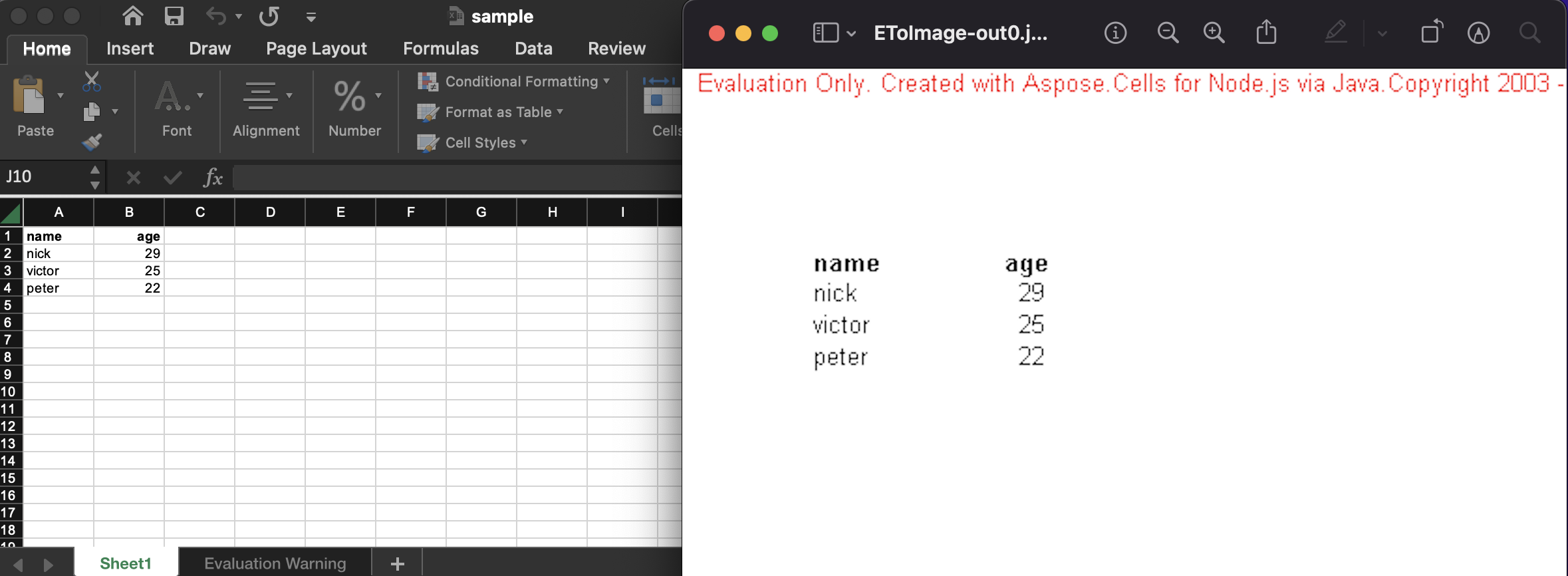
Running the script produces JPG files that match the visual layout of the original Excel worksheets, as illustrated below:
Get a Free License
You can obtain a free temporary license to evaluate the API without any evaluation limits or watermarks.
Summing up
You now have a complete, programmatic solution for converting Excel to JPG in Node.js. This guide shows how to set up the XLSX JS library, configure image options, and generate high‑quality JPEG files. For deeper integration details, explore the official documentation.
We also recommend reading our Getting Started guide for additional examples and best practices.
Stay tuned to conholdate.com for new blog posts and updates.
Ask a question
Post your questions or queries on our forum.
FAQs
How do I convert Excel to image?
Follow the link for the code snippet and step‑by‑step instructions to convert Excel to JPG/JPEG programmatically.