
How to add an image stamp in PDF using C#
Digital documents often require visual verification such as image stamps that indicate confidentiality, approval, or authenticity. Adding these stamps programmatically to a PDF ensures consistency and saves time. In this guide you will learn how to add an image stamp in PDF using C#, leveraging the powerful Conholdate.Total library.
The article covers:
- .NET image stamp creator library installation
- Create image stamps in PDF
- Control the display quality of PDF image stamp
Installing C# image stamp creator library
We use Conholdate.Total for .NET to embed image stamps into PDF files. You can obtain the library by downloading the DLL package or, more conveniently, by installing it from NuGet.
Install-Package Conholdate.Total
After installation, reference the library in your C# project to gain access to the Document, ImageStamp, and related classes.
Create image stamps in PDF programmatically in C#
Follow these steps to place an image stamp on any page of a PDF:
- Load the target PDF with the Document class.
- Instantiate an ImageStamp object, providing the path to the stamp image.
- Configure the stamp’s position, size, and opacity to match your layout requirements.
- Attach the stamp to a specific page using the AddStamp(Stamp stamp) method.
- Save the modified document with Save(string outputFileName).
The snippet below demonstrates how to add image stamps in PDF using C#.
The image illustrates the original PDF on the left and the stamped result on the right.
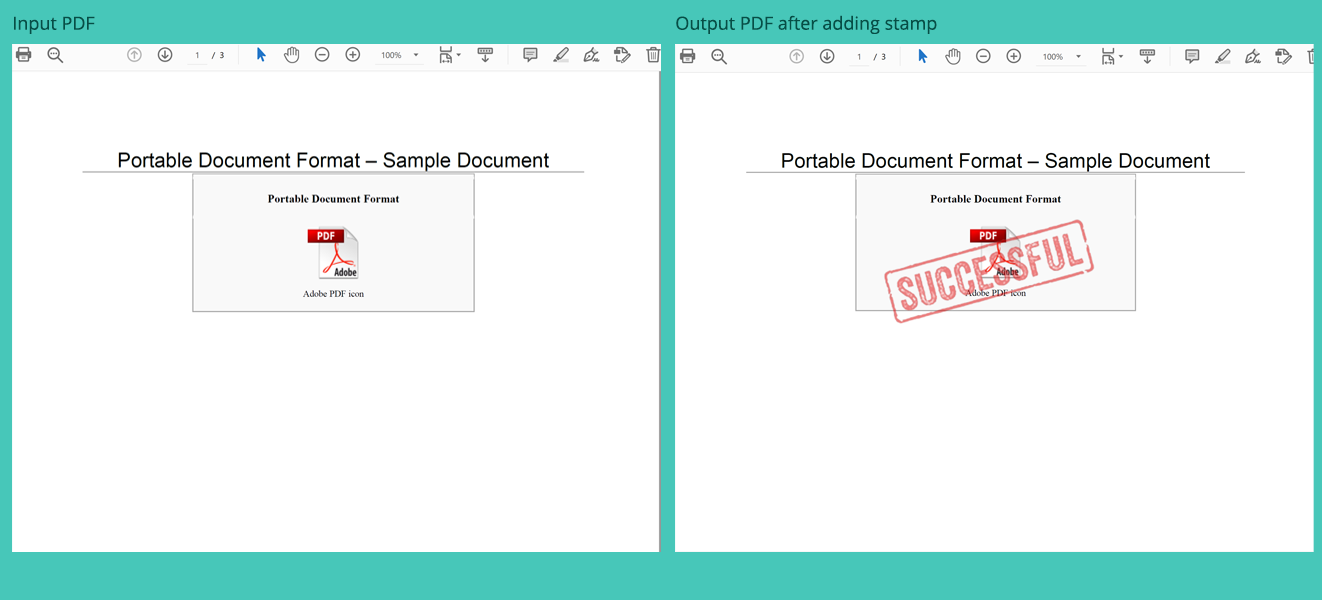
Adding an image stamp in PDF using C#
Specify image stamp quality using C#
Image stamp clarity can be fine‑tuned by adjusting the Quality property (0‑100). Higher values produce sharper stamps at the cost of larger file size.
- Open the PDF with the Document class.
- Create an ImageStamp instance.
- Set ImageStamp.Quality to the desired level (e.g., 90 for high quality).
- Insert the stamp on the chosen page via AddStamp(Stamp stamp).
- Save the updated PDF.
The following code sample shows how to modify stamp quality.
Get a free license
A free temporary license is available for testing the API without evaluation restrictions. Visit the link below to request your license key.
Conclusion
We have demonstrated how to add an image stamp in PDF documents using the Conholdate.Total C# API and shown how to control stamp quality for optimal visual results. Explore the full documentation to discover additional stamping options and advanced PDF manipulation features.
Ask a question
If you have any questions or need further assistance, post them on our forum.