
Adobe introduced interactive, dynamic XFA (XML Forms Architecture) forms. An XFA form is an XML‑based PDF that behaves like an HTML page, containing fillable fields and layout information. In this article, you will learn how to fill and read XFA forms using C#.
The following topics are covered:
C# API to Read and Fill XFA Forms
To work with XFA PDF forms we use the Aspose.PDF for .NET library. This API enables generation, modification, conversion, rendering, security, and printing of supported documents without Adobe Acrobat. Download the DLL or install via NuGet.
PM> Install-Package Aspose.Pdf
Fill XFA Forms using C#
Follow these steps to programmatically fill an XFA form:
- Load the XFA PDF with the Document class.
- Retrieve the collection of XFA field names using the XFA object.
- Assign values to the required fields.
- Save the updated document with the Save() method, specifying the output path.
The code example below demonstrates how to fill an XFA form using C#.
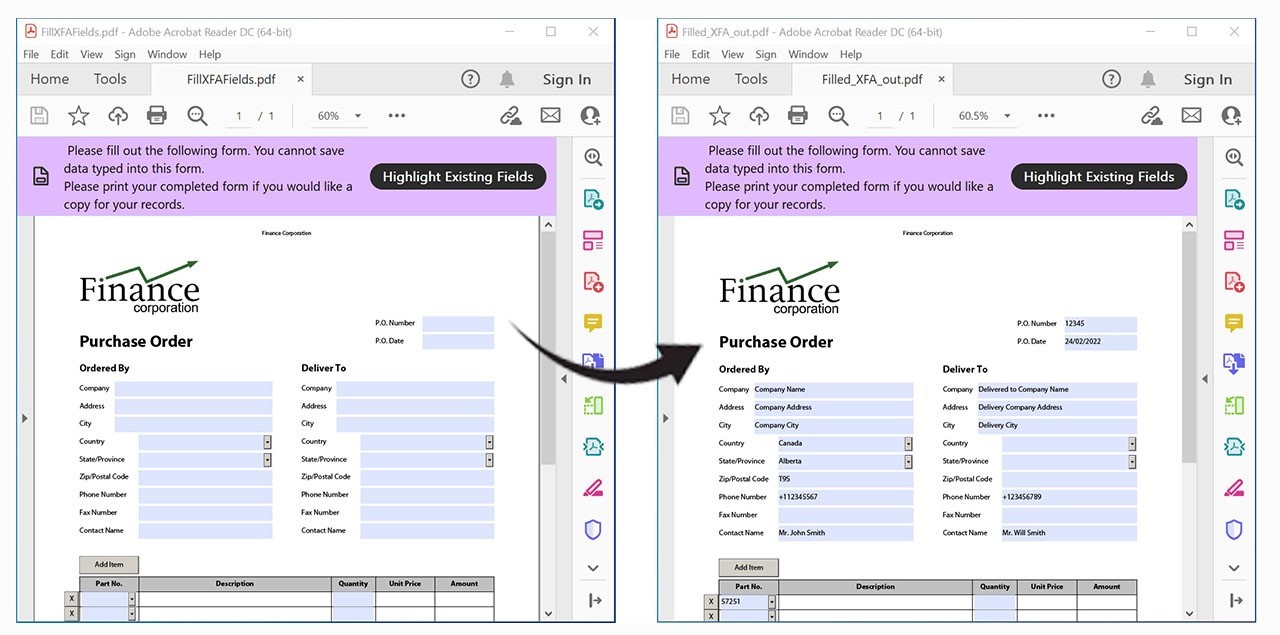
Fill XFA Forms using C#.
Read XFA Forms using C#
To extract data from a completed XFA form, perform these actions:
- Open the filled PDF with the Document class.
- Access the XFA field collection via the XFA property.
- Iterate through each field and obtain its details using the GetFieldTemplate() method.
- Display or process the retrieved field attributes as needed.
The following snippet shows how to read the filled XFA form using C#.
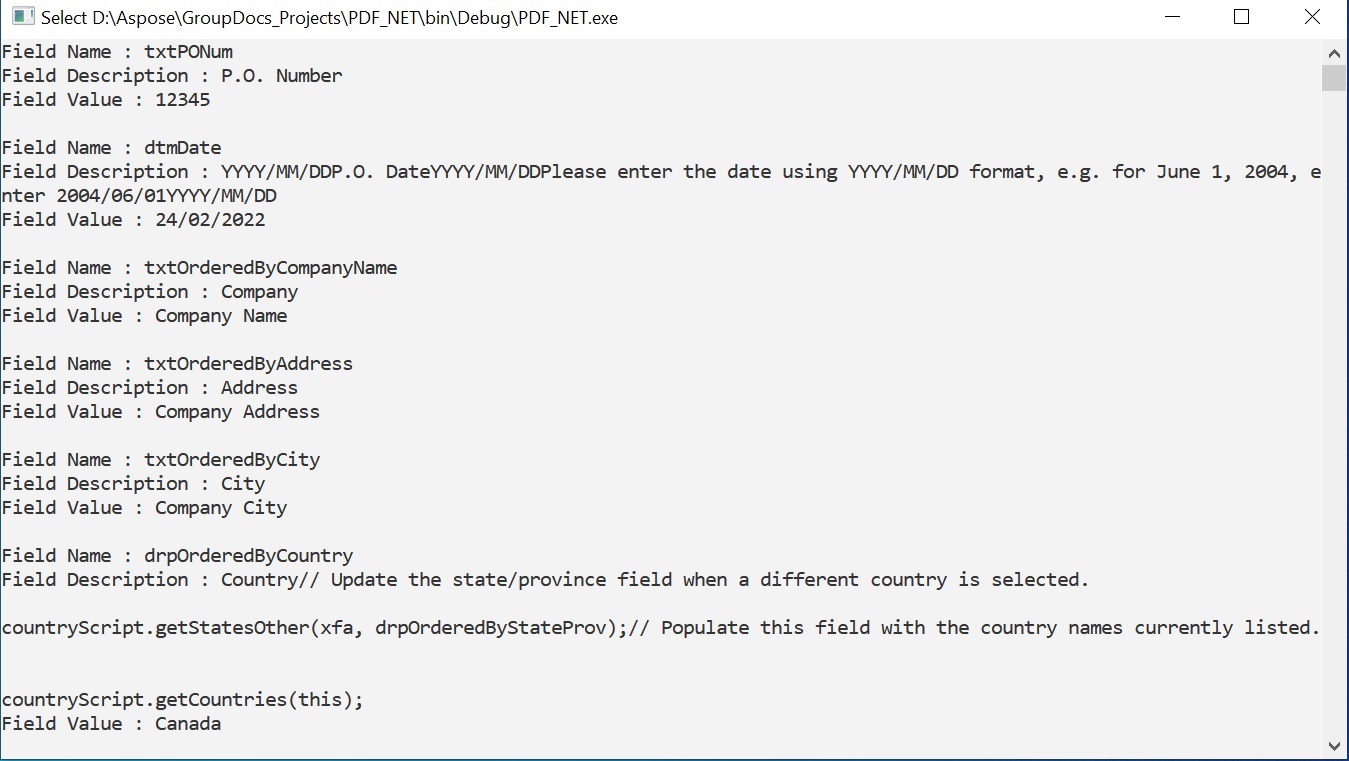
Read the filled XFA form using C#.
Get a Free License
Try the API without evaluation limitations by requesting a free temporary license.
Conclusion
This guide demonstrated how to fill XFA PDF forms programmatically with C# and how to read the populated fields without using Adobe Acrobat. For deeper integration, explore the full Aspose.PDF for .NET documentation here. If you have questions, the community forum is ready to help.