Convert DOCX Word to PNG Image using Java
Earlier we published a guide on converting Word to JPG programmatically. In this article we show how to convert Word to PNG using the Java image library. The library provides features that let developers create a Word to PNG converter with just a few lines of Java code. Ensure Java is installed on your machine before starting this tutorial.
The following sections will be covered:
Word DOCX to PNG Image Converter - Java Library Installation
The installation process of this library is straightforward. You can either download the JAR files or follow Maven configurations to set up this library in your Java application.
<repository>
    <id>AsposeJavaAPI</id>
    <name>Aspose Java API</name>
    <url>https://repository.aspose.com/repo/</url>
</repository>
<dependency>
    <groupId>com.aspose</groupId>
    <artifactId>aspose-words</artifactId>
    <version>21.11</version>
    <type>pom</type>
</dependency>
Convert Word to PNG Image using Java
Follow these steps and use the code snippet to create a Word to PNG image conversion module in Java:
- Create an instance of the Document class and load the source Word file.
- Initialize the ImageSaveOptions constructor to set rendering options.
- Call the setPageSet method with a page set of “0” to convert only the first page.
- Adjust the image brightness with the setImageBrightness method.
- Set the image contrast using the setImageContrast method.
- Change the horizontal resolution via the setHorizontalResolution method (default is 96 dpi).
- Save the document as PNG by invoking the save method.
Copy & paste the following code into your main file to convert a DOCX Word document to PNG in Java:
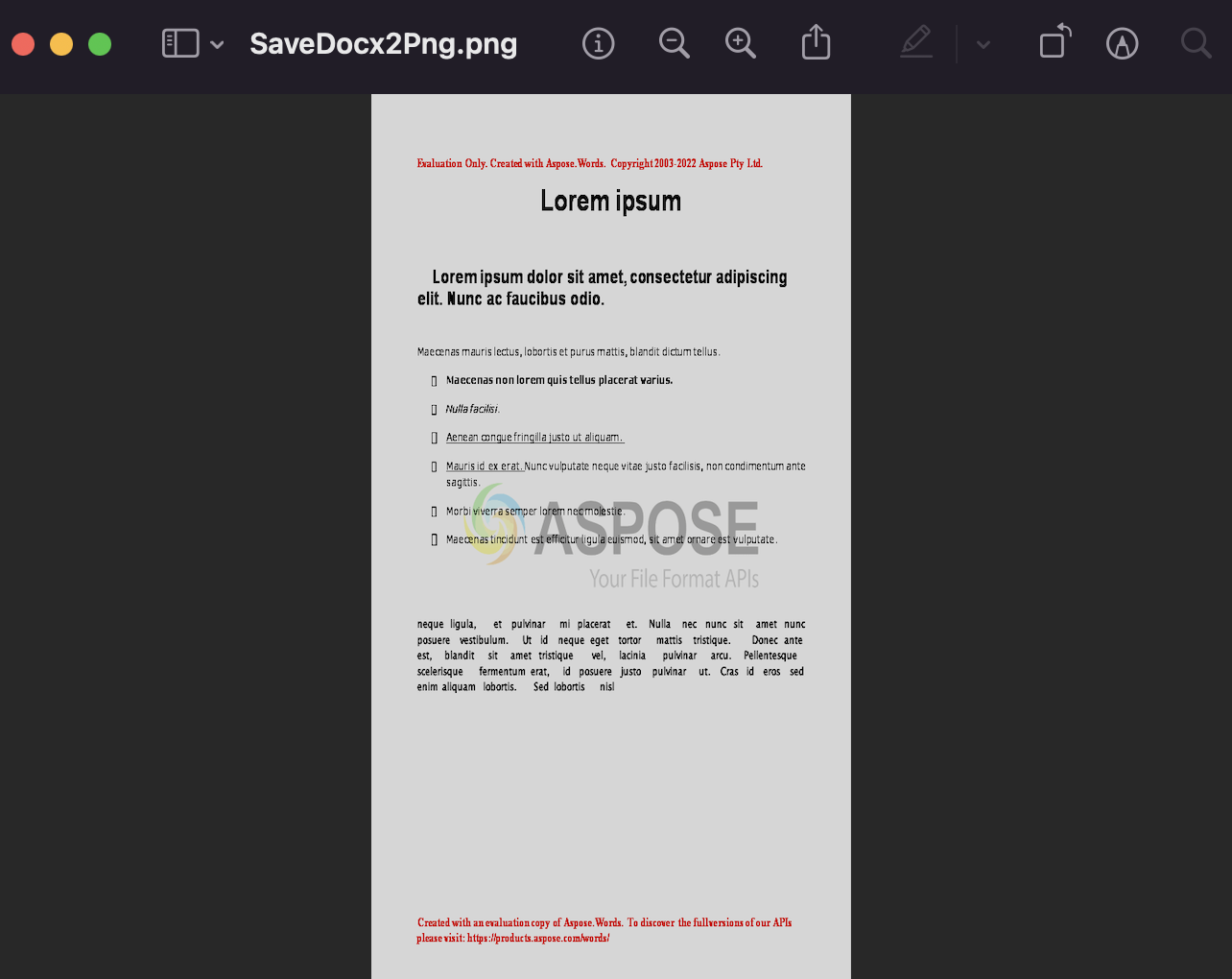
The output can be seen in the image below:
##FAQs
What is Aspose.Words Java library?
Aspose.Words for Java is a library that allows Java developers to work with Word documents in their applications. It provides APIs for creating, modifying, and converting Word documents.
Can I use Aspose.Words for Java to convert Word documents to images such as PNG?
Yes, Aspose.Words for Java can be used to convert Word documents to images, such as PNG. It provides APIs for specifying the output format and options.
How do I convert a Word DOCX document to an image (PNG) using Java?
To convert a Word document to an image such as PNG in Java, use Aspose.Words for Java library. Load the document, configure image format and options, then save the document as a PNG image.
What are the benefits of using Aspose.Words for Java to convert Word DOCX documents to PNG images?
Using this Java library to convert Word documents to PNG images provides several benefits, such as the ability to customize the output format, resolution, and quality, and the ability to programmatically manipulate the document before converting it.
Get a Free License
You can avail of a free temporary license to try the API without evaluation limitations.
Summing up
We hope you now know how to convert Word DOCX to PNG using Java. You also saw advanced features of this enterprise‑level library. Visit the documentation for more capabilities.
Check the Getting Started guide and stay updated with new posts on conholdate.com.
Ask a question
You can let us know about your questions or queries on our forum.
FAQs
How do I convert a Word document to a PNG?
Create an instance of the Document class, load the source Word file, and save the document in PNG format by calling the save method.