Convert TIFF to PNG without losing quality in Java
TIFF and PNG are popular image formats. PNG files are smaller and ideal for the web, while TIFF files are larger and not web‑friendly. Converting TIFFs to PNGs without losing quality can solve these issues. This article explains how to convert TIFF to PNG without losing quality in Java.
The article covers:
TIFF to PNG Converter - Java Library Installation
In this section we show how to install the TIFF to PNG conversion API. If you use Maven, add the following to your pom.xml:
<repository>
	<id>ConholdateJavaAPI</id>
	<name>Conholdate Java API</name>
	<url>https://releases.conholdate.com/java/repo</url>
</repository>
<dependency>
	<groupId>com.conholdate</groupId>
	<artifactId>conholdate-total</artifactId>
	<version>23.6</version>
	<type>pom</type>
</dependency>
Then run:
mvn clean
mvn install -U
For other Java frameworks, visit releases.conholdate.com.
Java Converter: TIFF to PNG Conversion Without Losing Quality
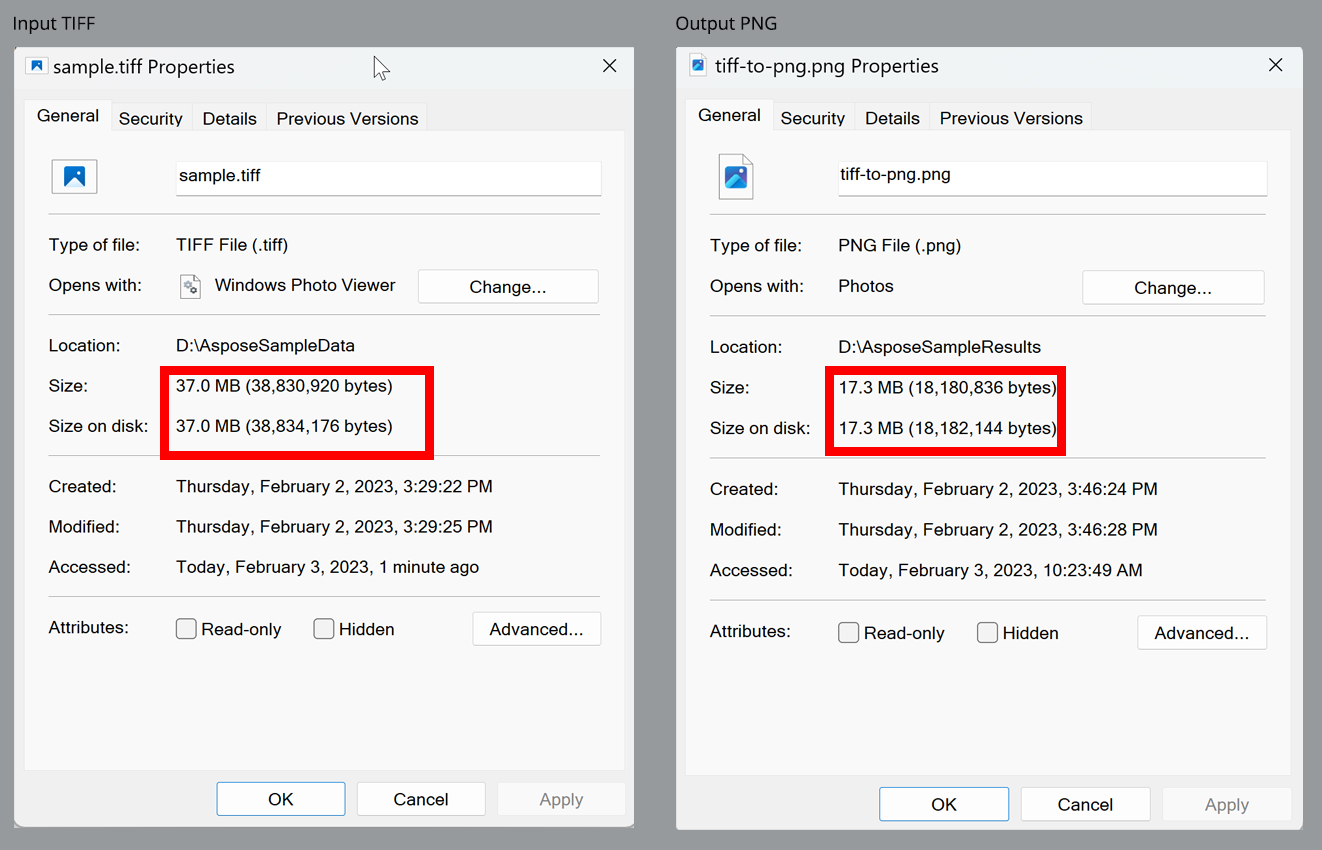
Assume a 37 MB TIFF file with no compression. Our goals are:
- Reduce the file size.
- Make the image web‑compatible.
Because PNG uses lossless compression, we can convert TIFF to PNG without losing quality. Follow these steps:
- Load the TIFF image with the Converter class.
- Create an ImageConvertOptions instance and set the output format to PNG.
- Set the desired width and height with setWidth(int) and setHeight(int).
- Call Converter.convert(String, ConvertOptions) to save the PNG.
The code sample below demonstrates the conversion:
Convert TIFF to PNG: Output Comparison
The first image shows the disk sizes of the original TIFF and the resulting PNG.
The second screenshot compares visual quality at the same zoom level.
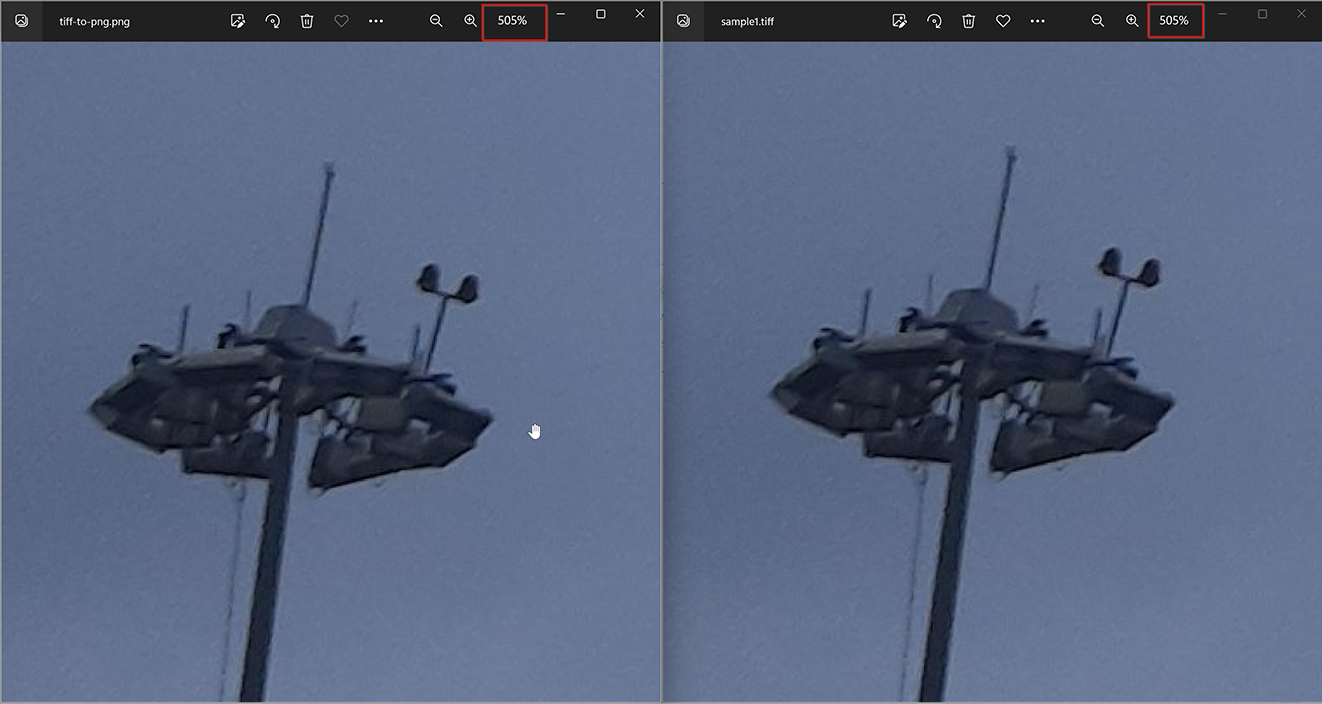
The PNG is significantly smaller while maintaining comparable visual quality.
Get a free license
You can obtain a free temporary license to try the API without evaluation limits.
Summing Up
We explained how to convert TIFF images to PNG in Java without quality loss. Using the Java TIFF to PNG Converter library, you can shrink file size and keep high visual fidelity. For more details, see the documentation about the Java conversion API.
Stay updated at conholdate.com.
FAQs
What is TIFF and PNG?
TIFF (Tagged Image File Format) is a high‑quality format used for printing and professional photography. PNG (Portable Network Graphics) is a web‑friendly, lossless format ideal for graphics, digital art, and logos.
Why would I want to convert a TIFF to a PNG?
PNG files are smaller, easier to transfer, and support transparency, making them perfect for web use. They also work across browsers, image editors, and operating systems.
How do I convert a TIFF to a PNG in Java without losing quality?
First, install the TIFF to PNG Converter Java library. Then follow the steps in the Convert TIFF to PNG in Java section.
Ask a Question
Post your questions on our forum.