Convert Excel to PNG in Node.js
Follow this guide to learn how to convert Excel to PNG in Node.js using this JavaScript Excel API. PNG is an image format, while Excel is ideal for data storage and analysis. Converting Excel to PNG makes sharing data easier because images open on any platform without extra software. Before you start, make sure Node.js is installed on your machine.
We will cover these sections:
JavaScript Excel API Installation
The installation process is simple and developer‑friendly. It provides powerful file conversion and manipulation features. Run the following commands to add the API to your Node.js project.
npm install java
npm install aspose.cells
Or, download the API package and integrate it manually.
Convert Excel to PNG in Node.js
We will use this JavaScript Excel API to convert Excel to PNG programmatically. The API offers many useful methods.
Follow these steps to export XLSX to PNG:
- Create a Workbook object and load the source file.
- Instantiate an ImageOrPrintOptions object to set image options.
- Call the setImageType method to define the image format.
- Use the get(index) method to retrieve the first worksheet.
- Create a SheetRender object for the target sheet.
- Call the toImage method to generate the PNG image.
The sample code below shows how to convert Excel to PNG images in Node.js:
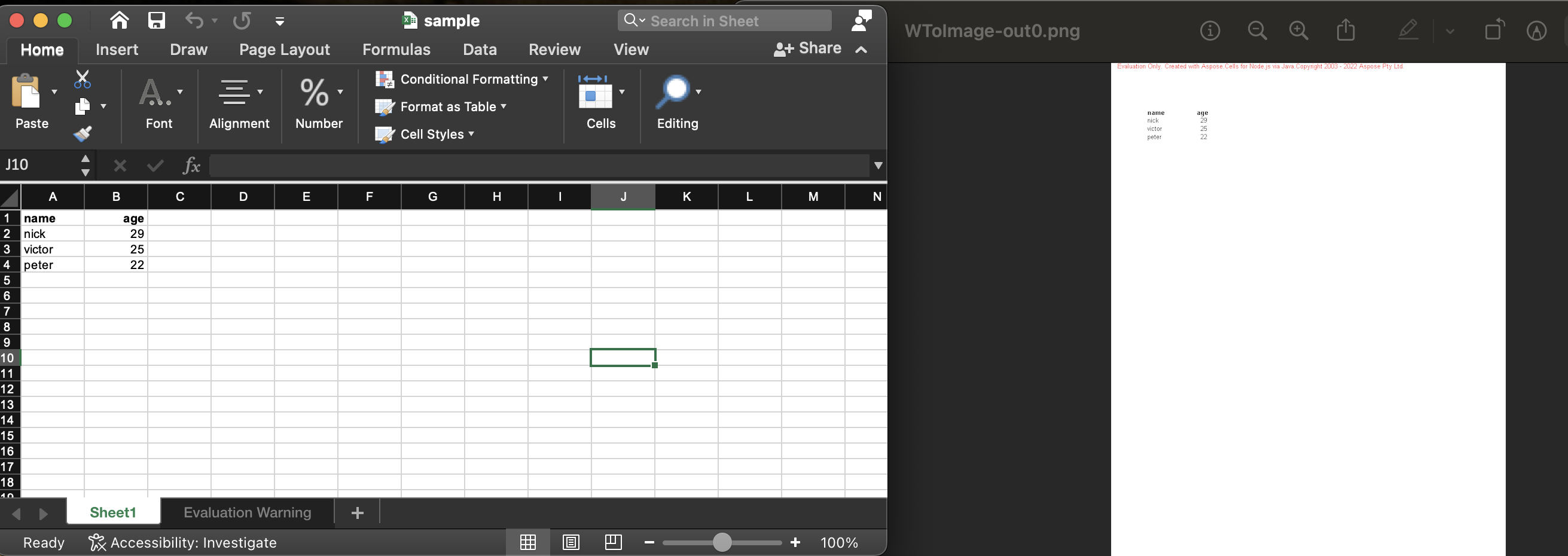
The resulting image looks like this:
Get a Free License
You can obtain a free temporary license to try the API without evaluation limits.
Summing up
This tutorial demonstrated how to convert Excel to PNG in Node.js programmatically. It helps you build an Excel to PNG converter using the JavaScript Excel API. For more details, visit the documentation. Stay tuned to conholdate.com for future blog posts and updates.
Ask a question
Post your questions or queries on our forum.
FAQs
How do I convert Excel to PNG?
Use this JavaScript Excel API to convert Excel files to image format programmatically.
How do I turn Excel data into an image?
Call the toImage method to generate an image from an Excel worksheet. See the link for additional methods.